v0.6.0免费 · 开源 · 简体中文Free · Open source · Chinese UI 码头 Dockling 图标 / Dockling icon

给程序坞加一条好用的扩展栏A shelf of live widgets beside your Dock

码头(Dockling)是免费、开源的 macOS 程序坞扩展栏:在系统程序坞旁边摆上实时小组件、应用分组和文件夹,也可以直接用它替代程序坞。界面全部是简体中文。

Dockling (码头) is a free, open-source Dock shelf for macOS. Put live widgets, app groups and folders right next to the system Dock, or use it in place of the Dock. The interface is in Simplified Chinese.

第一次打开时 macOS 会拦一下(应用未经 Apple 公证)。看看怎么打开First launch: macOS asks once because Dockling is not notarized. How to open it

需要 macOS 26 · 无需账号 · 不追踪 · MIT 许可Requires macOS 26 · No account · No tracking · MIT License

码头扩展栏:时钟、世界时钟、系统活动、便签,然后是一排应用图标 / The Dockling shelf: clock, world clock, system activity, a sticky note, then a row of app icons

所有截图都是应用自己的界面,由仓库里的截图工具在 macOS 上实际拍摄。Every screenshot is the real app, captured on macOS by the screenshot tool in the repository.

50+种小组件,按需组合,放在同一条扩展栏上。widgets to mix and match on one shelf.
0 元$0所有功能都免费。赞助只换外观,不换功能。for every feature. Supporting unlocks looks, never features.
1 次拖拽1 drag就装好。没有账号,数据留在你的 Mac 上。to install. No account, and your data stays on your Mac.

小组件一览Widgets

按用途分成几类,每一类都可以自由组合。点按小组件会打开详情面板,显示更多内容和操作。

Grouped by what they are for, and free to combine. Click any widget to open a panel with more detail and actions.

应用、文件和快速访问Apps, files and quick access

常用应用、刚下载的文件和要来回拖动的文件都放在手边,不用再打开访达翻找。

Keep favourite apps, fresh downloads and files in transit right next to the Dock, no Finder digging.

扩展栏:下载、最近截图、文件暂存、搜索、隔空投送和应用图标 / Shelf with Downloads, Recent Screenshots, File Shelf, Search, AirDrop and app icons
  • 应用图标与分组App icons and groups
  • 应用切换器App switcher
  • 书签Bookmarks
  • 下载Downloads
  • 文件暂存File shelf
  • 搜索Search
  • 隔空投送AirDrop
  • 快捷指令Shortcuts

生产力和日常专注Productivity and daily focus

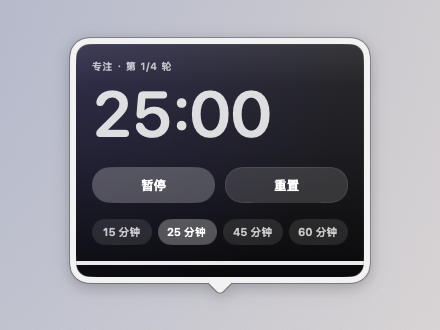
今天的日程、待办和专注节奏放在眼前,一眼就知道接下来要做什么;想安静做事时还有环境音和收音机。

Today's schedule, to-dos and focus rhythm in plain sight, plus ambient sounds and radio for heads-down time.

扩展栏:日历、提醒事项、专注计时、喝水和便签 / Shelf with Calendar, Reminders, Focus timer, Water and Sticky note
  • 日历Calendar
  • 一周日程This week
  • 提醒事项Reminders
  • 快速待办Quick to-do
  • 习惯打卡Habit tracker
  • 纪念日Anniversaries
  • 专注计时Focus timer
  • 喝水Water
  • 久坐提醒Stand-up reminder
  • 便签Sticky note
  • 邮件Mail
  • 时钟Clock
  • 世界时钟World clock
  • 秒表Stopwatch
  • 倒计时Countdown
  • 闹钟Alarm
  • 时间进度Time progress
  • 环境音Ambient sounds
  • 收音机Radio

Mac 控制和系统工具Mac controls and system tools

不用打开控制中心或活动监视器,常用的开关和系统状态就在扩展栏上。

Common switches and system status without opening Control Centre or Activity Monitor.

扩展栏:正在播放、音量、快速开关、系统活动和电池 / Shelf with Now Playing, Volume, Quick switches, System activity and Battery
  • 正在播放Now Playing
  • 音量Volume
  • 应用音量Per-app volume
  • 快速开关Quick switches
  • 壁纸切换Wallpaper
  • 录音Recorder
  • 麦克风Microphone
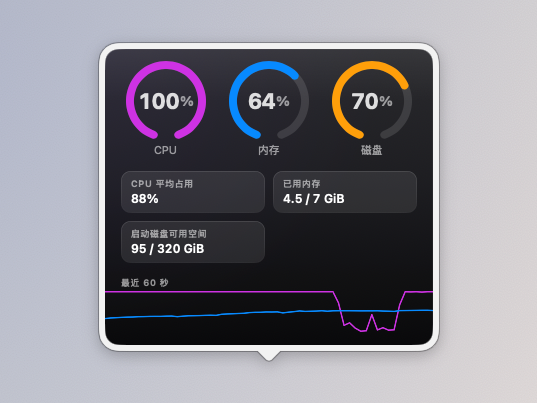
  • 系统活动System activity
  • 网络活动Network
  • 电池Battery
  • 圆环仪表Ring gauges
  • 废纸篓Trash
  • 灵动提示Island-style alerts

实用小工具Handy utilities

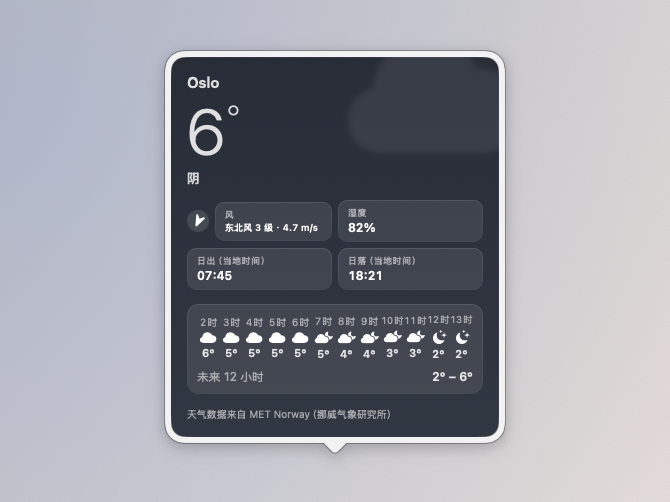
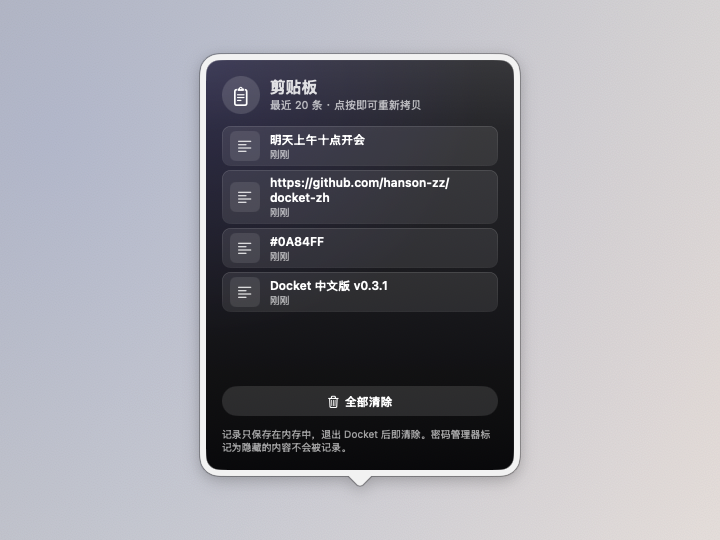
随手就要用的小工具:找回刚才拷贝的内容、换算单位、翻译一句话、看看天气和行情。

Little tools you reach for all day: clipboard history, conversions, translation, weather and prices.

扩展栏:剪贴板、单位换算、表情符号、天气和世界时钟 / Shelf with Clipboard, Converter, Emoji, Weather and World clock
  • 剪贴板Clipboard
  • 单位换算Unit converter
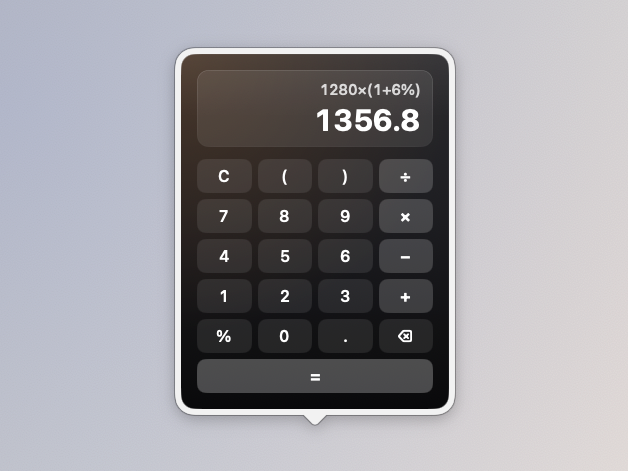
  • 计算器Calculator
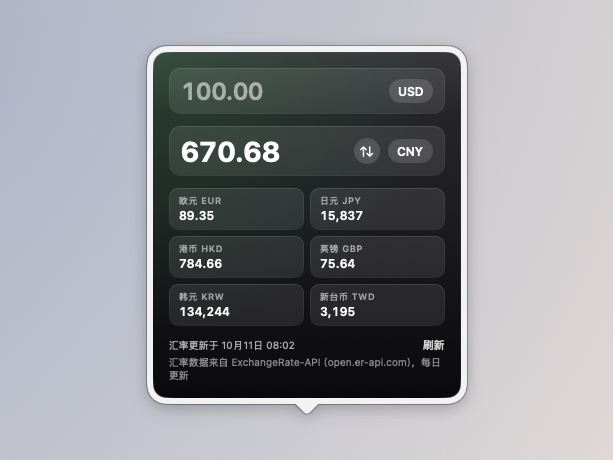
  • 汇率换算Currency
  • 翻译Translate
  • 表情符号Emoji
  • 天气Weather
  • 农历与假期Lunar calendar and holidays
  • 股票Stock
  • 自选股Watchlist
  • 加密货币Crypto

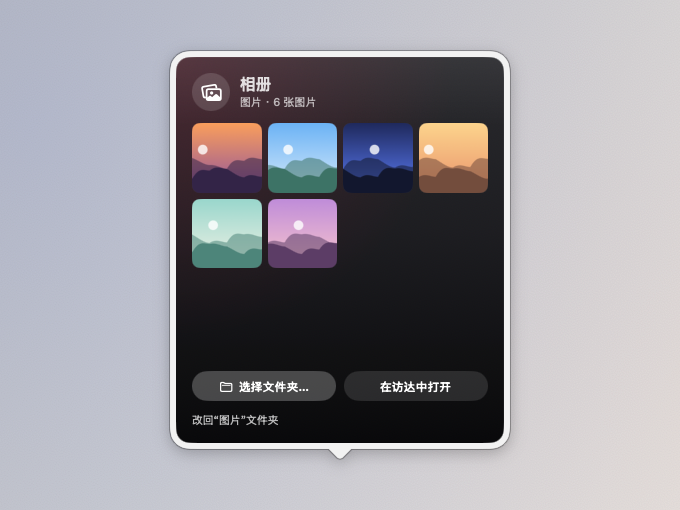
图片与截图Images and screenshots

看看喜欢的图片,随时截图,最近的截图和取到的颜色都能直接拖走或拷贝。

Rotate favourite photos, take screenshots, and drag away recent shots or copy picked colours.

扩展栏:相册、最近截图、截图工具、取色器和应用图标 / Shelf with Photos, Recent screenshots, Capture, Colour picker and app icons
  • 相册Photos
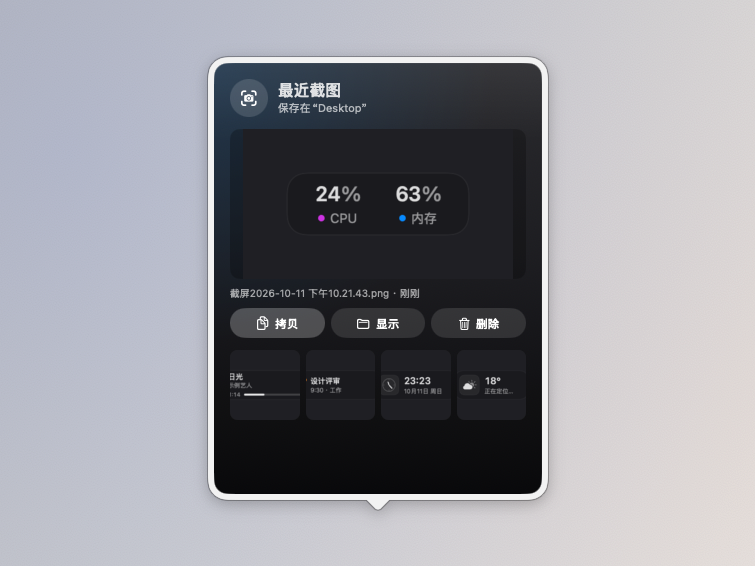
  • 最近截图Recent screenshots
  • 截图工具Capture
  • 取色器Colour picker

Codex 与开发Codex and development

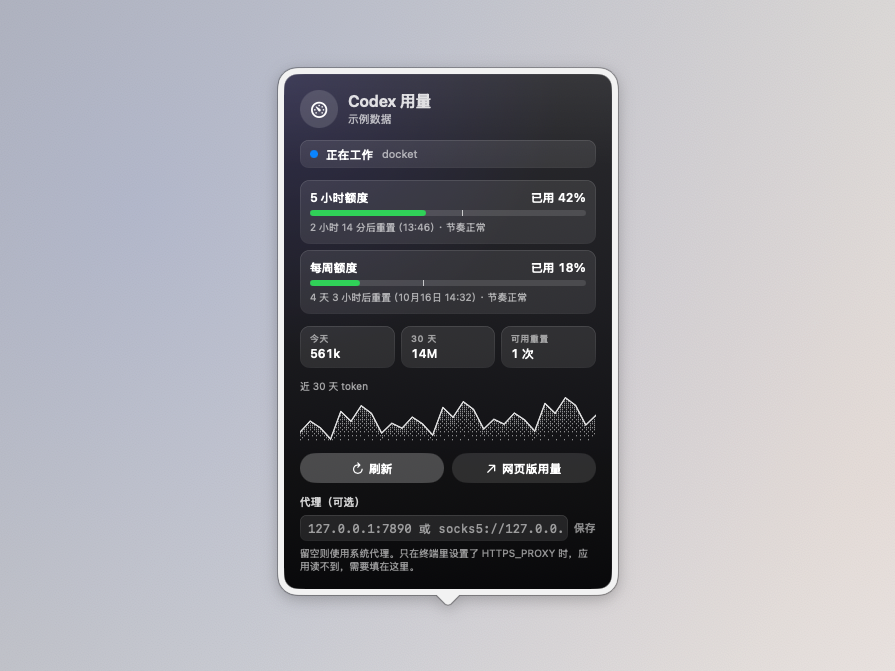
盯着 Codex 的额度和进度,也顺手看看 GitHub 项目的星标、议题和拉取请求。

Keep an eye on Codex limits and progress, plus stars, issues and pull requests on GitHub.

扩展栏:两个 Codex 用量小组件(已用和剩余两种显示)、时钟和系统活动(示例数据) / Shelf with two Codex usage widgets, a clock and system activity (sample data)
  • Codex 用量Codex usage
  • GitHubGitHub

还有这些Also

  • 跟随真实的程序坞:大小、所在边缘、放大效果和自动隐藏都实时读取系统设置。Follows the real Dock: size, edge, magnification and auto-hide are read live from System Settings.
  • 应用分组:把一个图标拖到另一个图标上停留,就像 iOS 一样建立分组。App groups: drag one icon onto another and hold, just like iOS.
  • 多套布局:用快捷键、专注模式或 ⌘ + 滚轮切换,也可写回系统程序坞。Several layouts: switch with a shortcut, a Focus mode or ⌘ + scroll, and write them back to the Dock.
  • 外观:玻璃、清透玻璃、磨砂、深色、透明等预设,单色模式,放不下时自动缩小。Looks: glass, clear, frosted, dark, transparent and more, a monochrome mode, and auto-shrink when space runs out.

最近新增Recently added

近几个版本加入的小组件和改进。带“下一版”标记的已经合并,会随下一个版本发布。

Widgets and improvements from the last few releases. Items marked “Next” are merged and ship in the next release.

Codex 用量Codex usage

5 小时和每周额度两个圆环、重置时间、用量预测;圆点显示 Codex 正在工作、等你确认还是已完成。

Rings for the 5-hour and weekly limits, reset times and a burn-down forecast, plus a dot that shows whether Codex is working, waiting for you or done.

天气预报Weather forecast

未来 7 天、未来 10 天和多城市样式,带气温范围条和降水概率。

7-day, 10-day and multi-city layouts with temperature bars and chance of rain.

收音机Radio

猫耳复古收音机,内置中国之声等电台,可搜索 Radio Browser 目录、收藏、定时关闭。

A cat-eared retro radio with built-in Chinese stations, Radio Browser search, favourites and a sleep timer.

纪念日Anniversaries

倒数日和正数日,支持每年重复和农历,详情是带“今天”红线的时间线。

Count down or count up, yearly or by the lunar calendar, on a timeline with a red line for today.

喝水Water 下一版Next

小熊猫跟着今天喝的水装满,达标冒星星;柴犬、橘猫、企鹅、水獭、章鱼是赞助者角色。

A red panda fills up with what you drink today; a shiba, cat, penguin, otter and octopus are supporter characters.

翻译Translate 下一版Next

macOS 本机翻译,免费、不用密钥,文字不离开这台 Mac;把文字拖到卡片上就地翻译。

On-device macOS translation: free, no key, your text never leaves the Mac. Drop text on the card to translate.

习惯打卡Habit tracker

最近 7 天圆点、连续天数、本月热力图,点一下就打卡。

Seven-day dots, streaks and a monthly heat map. One click to check in.

一周日程This week

读取系统日历,周一到周日 7 列显示本周日程,今天高亮。

Your system calendar as seven columns, Monday to Sunday, with today highlighted.

加密货币Crypto

价格、24 小时涨跌和走势线,人民币或美元计价,红涨绿跌可切换。

Price, 24-hour change and a sparkline in CNY or USD, with your choice of up/down colours.

应用音量Per-app volume

单独调节每个应用的音量(0 到 150%)或静音。

Set each app's volume from 0 to 150%, or mute it.

灵动提示Island-style alerts

屏幕顶部的胶囊提示:音量、亮度和会议倒计时,默认关闭。

A capsule at the top of the screen for volume, brightness and meeting countdowns. Off by default.

农历与假期Lunar calendar and holidays

农历、节气、传统节日,调休和放假前一天提醒。

Lunar dates, solar terms and festivals, with a heads-up before make-up workdays and holidays.

环境音Ambient sounds

雨声、海浪、风声、篝火和几种噪音,可混合播放,定时渐弱停止。

Rain, waves, wind, campfire and noise colours, mixed together, with a fade-out timer.

快速待办Quick to-do

只属于码头的待办清单,不需要任何权限,回车添加、点勾完成。

A to-do list of Dockling's own. No permissions, Return to add, tick to finish.

废纸篓Trash

显示废纸篓大小,垃圾多了会有苍蝇绕着飞,鼠标一挥就吓跑。

Shows how full the Trash is. Leave it too long and flies start circling; wave the pointer to shoo them.

表盘与外观Clock faces and looks

模拟、翻页、像素、大号数字、秒圈、中文等表盘;玻璃、磨砂、深色等扩展栏外观。

Analogue, flip, pixel, big digits, seconds ring and Chinese clock faces; glass, frosted, dark and more shelf looks.


下载Download

码头 Dockling v0.6.0Dockling v0.6.0

提供 .dmg 和 .zip(Dockling-版本号.dmg / .zip),在 GitHub Releases 下载最新版。

Available as .dmg and .zip (Dockling-version.dmg / .zip) from GitHub Releases.

系统要求:macOS 26。码头读取系统程序坞自身的偏好设置,并基于当前 SDK 绘制界面,不提供更早系统版本的构建。Requirements: macOS 26. Dockling reads the Dock's own preferences and draws with the current SDK, so there are no builds for older systems.

  1. 1

    下载 DMGDownload the DMG

    从 GitHub Releases 下载最新版,免费。Get the latest build from GitHub Releases. It is free.

  2. 2

    拖进“应用程序”Drag it into Applications

    只有第一次需要在设置里点“仍要打开”。怎么做First time only: click Open Anyway in System Settings. How

  3. 3

    看菜单栏Look in the menu bar

    码头没有程序坞图标,也没有主窗口;设置、小组件库和布局切换都在菜单栏图标里。Dockling has no Dock icon and no main window. Settings, the widget library and layouts live in its menu bar icon.

首次打开First launch

码头使用 ad-hoc 签名:没有 Apple 开发者证书,也没有经过公证。下载的文件本身没有问题,只是首次打开时会被门禁(Gatekeeper)拦下。只需要处理一次。

Dockling is ad-hoc signed, with no Apple Developer certificate and no notarization. The download is fine, but Gatekeeper stops it the first time. You only need to do this once.

  1. 打开 .dmg,把 码头 拖到其中的“应用程序”替身上。(也可以使用 .zip,解压后自行移到“应用程序”文件夹。)请先完成安装再进行下一步,因为接下来授予的权限与应用所在位置绑定。
  2. 双击打开。macOS 会提示无法验证该应用不含恶意软件,点按 完成。
  3. 打开 系统设置 ▸ 隐私与安全性,滚动到 安全性 部分,会看到码头已被阻止的提示以及 仍要打开 按钮。点按它并验证身份。
  4. 再次打开码头,并确认 仍要打开。
  1. Open the .dmg and drag 码头 (Dockling) onto the Applications alias inside it. (Or use the .zip and move the app into Applications yourself.) Install it first: the permissions you grant later are tied to where the app lives.
  2. Double-click it. macOS says it cannot verify the app is free of malware; click Done.
  3. Open System Settings ▸ Privacy & Security, scroll to Security, and you will see that Dockling was blocked, with an Open Anyway button. Click it and authenticate.
  4. Open Dockling again and confirm Open Anyway.

如果 macOS 仍然拒绝打开,或提示应用“已损坏”,请在“终端”中移除下载文件的隔离属性:If macOS still refuses, or says the app is damaged, remove the quarantine flag in Terminal:

xattr -dr com.apple.quarantine /Applications/Dockling.app

启动后请看菜单栏:码头是辅助型应用,没有程序坞图标,也不会打开窗口。如果双击后似乎什么都没发生,其实它已经正常启动了。After launch, look in the menu bar: Dockling is an agent app with no Dock icon and no window. If nothing seems to happen, it is already running.

常见问题FAQ

码头免费吗?Is Dockling free?

免费,而且开源(MIT 许可)。所有功能都免费;赞助者只额外解锁专属配色、表盘和喝水角色这类外观,码头不联网验证,全凭诚信。

Yes, and open source under the MIT License. Every feature is free. Supporters only get cosmetic extras such as shelf colours, clock faces and water characters, unlocked on the honour system with no online check.

为什么打开时提示“无法验证”?Why does macOS say it cannot verify the app?

码头使用 ad-hoc 签名:没有 Apple 开发者证书,也没有经过公证,所以首次打开时会被门禁(Gatekeeper)拦下。下载的文件本身没有问题,源码全部公开,也可以自己构建。处理方法见首次打开。

Dockling is ad-hoc signed, with no Apple Developer certificate and no notarization, so Gatekeeper stops it the first time. The download itself is fine, the source is public, and you can build it yourself. See First launch.

为什么要授予这些权限?Why does it ask for permissions?

只在用到时才请求,不用的小组件不需要:自动化(正在播放、邮件)、日历和提醒事项(打开对应面板时)、麦克风(录音)、录音权限(应用音量)、完全磁盘访问权限(废纸篓大小)、辅助功能(剪贴板点按即粘贴)、通知(久坐和喝水提醒)。

Only when a widget needs it, and never for widgets you do not use: Automation (Now Playing, Mail), Calendars and Reminders (when you open those panels), Microphone (Recorder), audio recording (Per-app volume), Full Disk Access (Trash size), Accessibility (paste on click from Clipboard) and Notifications (stand-up and water reminders).

我的数据去哪了?Where does my data go?

都保存在你的 Mac 本地,没有账号,也不收集统计。只有少数小组件需要联网:天气(MET Norway、Open-Meteo)、汇率、加密货币(CoinGecko)、股票、GitHub、Codex 用量(只发给 chatgpt.com)、收音机,以及假期安排更新和检查更新。翻译使用 macOS 本机翻译,文字不离开这台 Mac。

It stays on your Mac. There is no account and no analytics. Only a few widgets go online: weather (MET Norway, Open-Meteo), currency, crypto (CoinGecko), stocks, GitHub, Codex usage (sent to chatgpt.com only) and radio, plus holiday-schedule updates and update checks. Translation uses on-device macOS translation, so your text never leaves the Mac.

码头和 Dockset 是什么关系?How is Dockling related to Dockset?

没有关系。码头是开源项目 Docket(nparashar150,MIT)的非官方简体中文本地化和扩展分支;Docket 的灵感来自独立开发者的付费应用 Dockset。码头与 Dockset 及上游 Docket 均无关联,也未获得其认可。如果你想要打磨完善、有售后支持的正式产品,请购买 Dockset。

None. Dockling is an unofficial Simplified Chinese localization and extension of the open-source Docket (by nparashar150, MIT), which was itself inspired by Dockset, a paid app by an independent developer. Dockling is not affiliated with or endorsed by Dockset or upstream Docket. If you want a polished, supported product, buy Dockset.

怎么反馈问题或建议?How do I report a bug or suggest something?

请到 GitHub 提交 Issue,中文或英文都可以。附上 macOS 版本、码头版本和截图会很有帮助。

Open an issue on GitHub, in Chinese or English. Your macOS version, Dockling version and a screenshot help a lot.

支持码头Support Dockling

码头完全免费、开源,是我用下班和周末时间做的。如果它让你的 Mac 用起来更顺手,欢迎请我喝杯咖啡,金额随意,国内可用微信或支付宝,海外可用 Ko-fi;不方便赞助也没关系,分享给朋友或在 GitHub 上点个星,同样是很大的鼓励。

Dockling is free and open source, built in evenings and at weekends. If it makes your Mac nicer to use, a coffee of any size is welcome on Ko-fi, by PayPal or card. If not, sharing it or starring it on GitHub helps just as much.

在 Ko-fi 上请我喝咖啡Buy me a coffee on Ko-fi